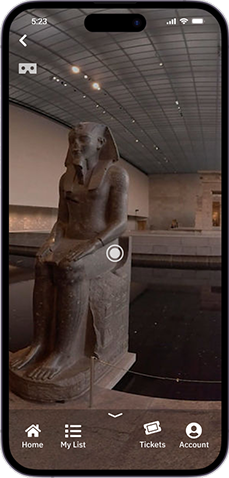

Description: Museum Aid is a brain child of mine, for an app that can make any museum anywhere in the world accessible to any person with access to a smartphone.
Problem Hypothesis: A virtual reality platform specializing in immersive experiences for museums around the world is necessary to provide educators, parents, and disabled persons with an alternative option to museum-going.
Project Team: Pavlos Savva (Concept originator & Project Manager), Nancy Rodriguez, Florence Ellison, Maddie Dewitt
My role: Originated the concept and secured buy-in from the project team and instructional staff; served as Project Manager while leading user research and ideation. Also designed the branding, UI, and prototypes. Collaborated with the team on the User Research such as interviews and competitive analysis, the Value Proposition Canvas, the empathy map, Affinity diagram, the User Journey, the Wireframe schetches, and the Problem Statements.
Tools used: Trello, Miro, Figma, FigJam, Photoshop, Illustrator, G-Suite

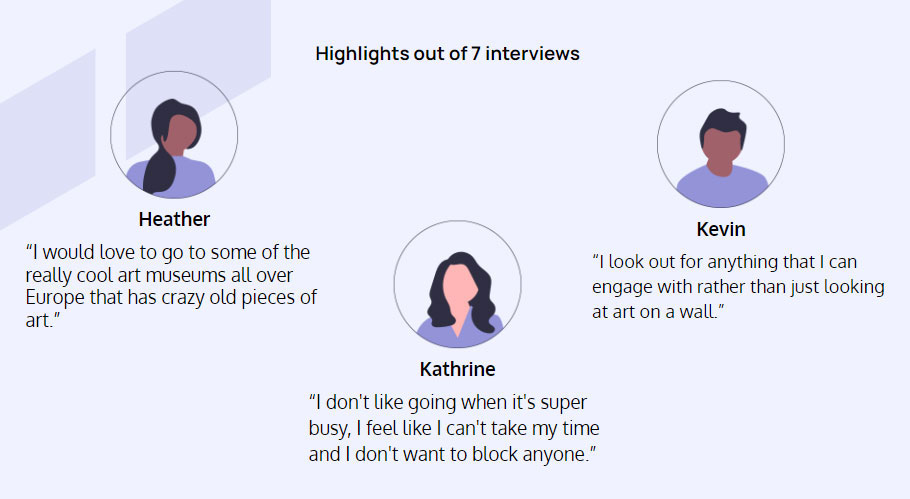
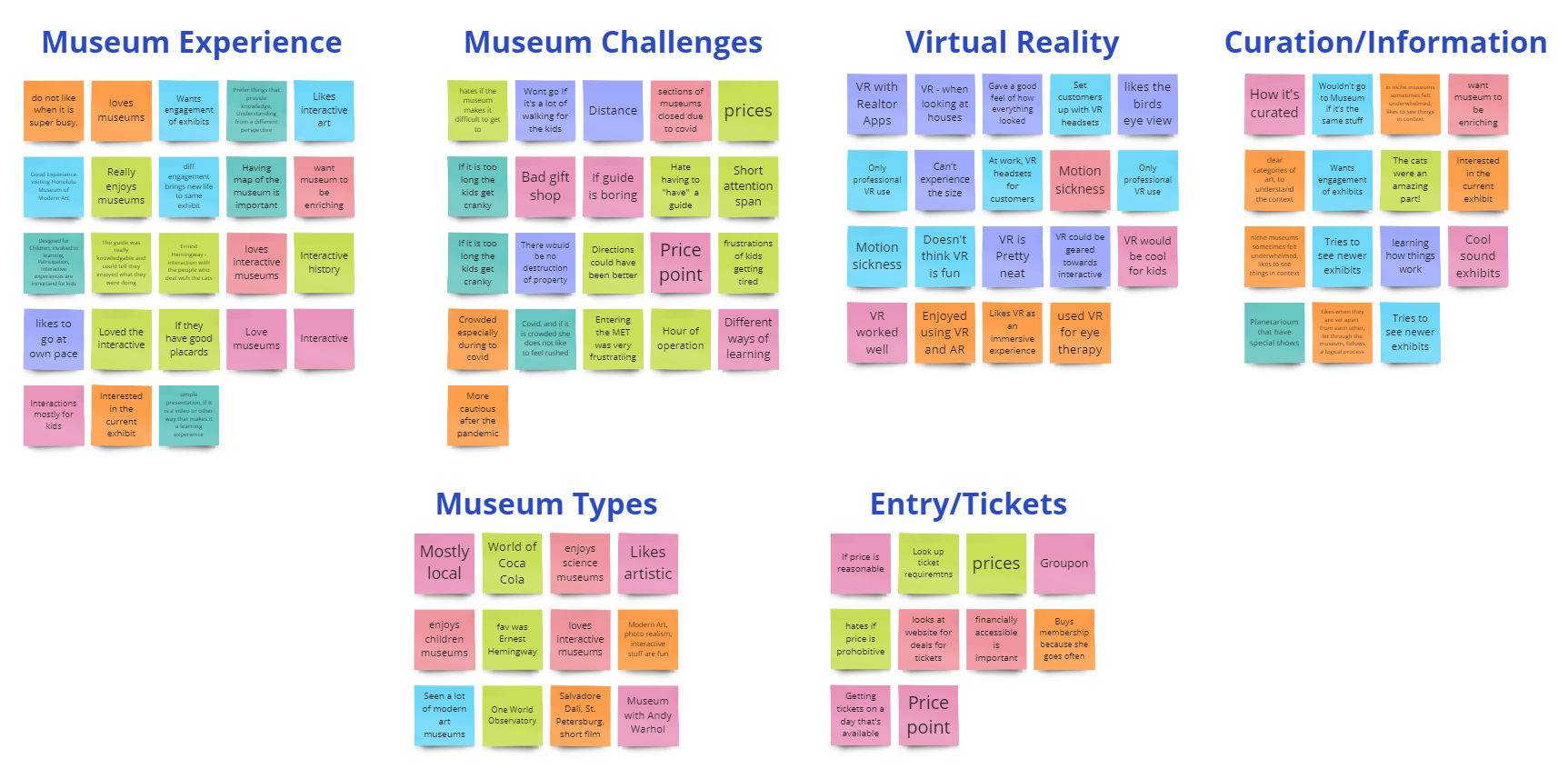
As a team we developed a user interview plan and an online survey in order to to get enough qualitative and quantitative data to validate our problem hypothesis. We performed 7 interviews, and I had the opportunity to conduct 2 of them. Also, 44 people answered our survey. One interesting finding was that people with kids rated their museum experience at just 5.5 out of 10.
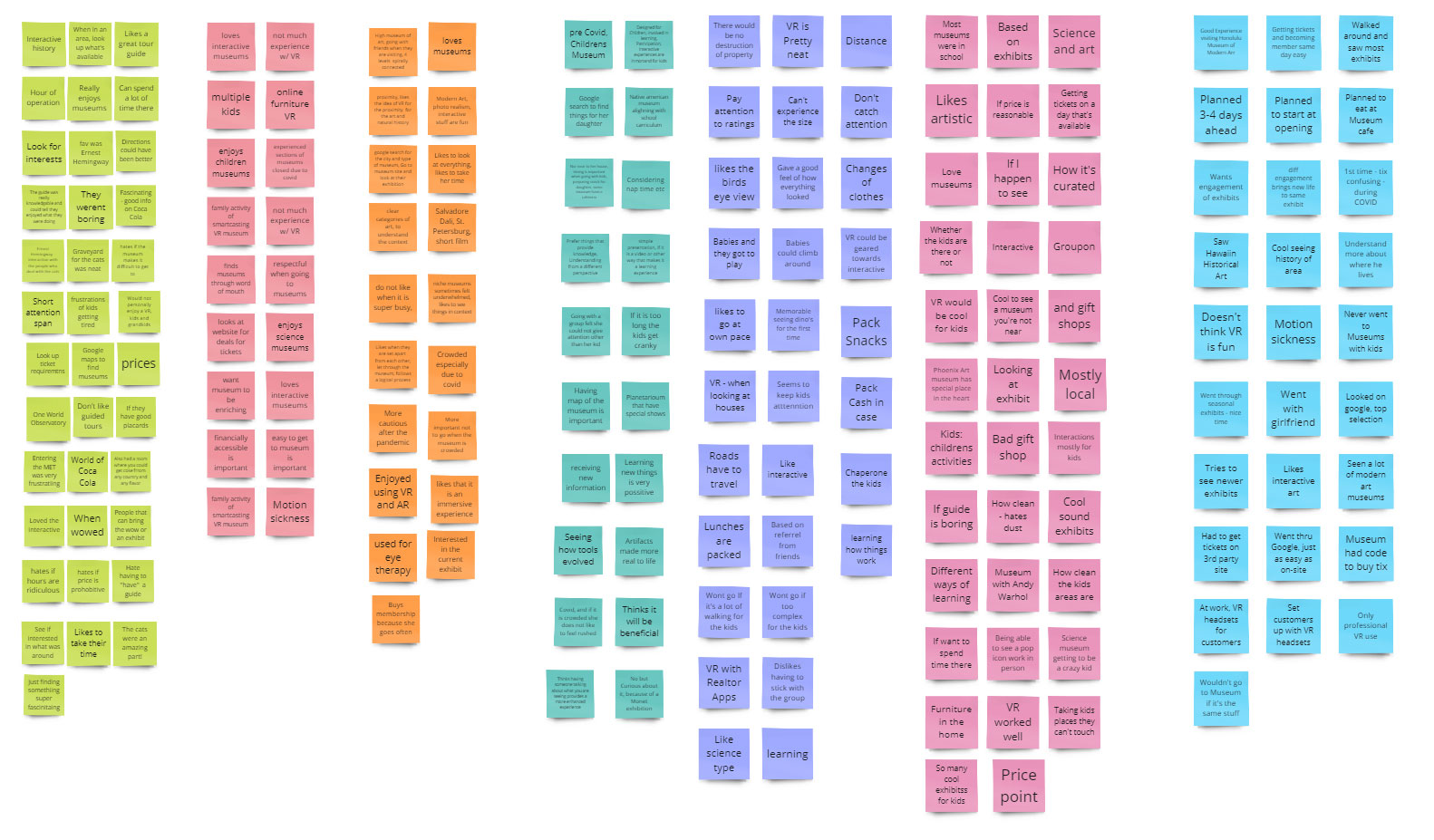
The Insights from this research helped us define our user, the actual problem, and also the value proposition for our product.
We discovered that many families and educators are looking for a more enriching trip to museums around the world with no geographical constraints.
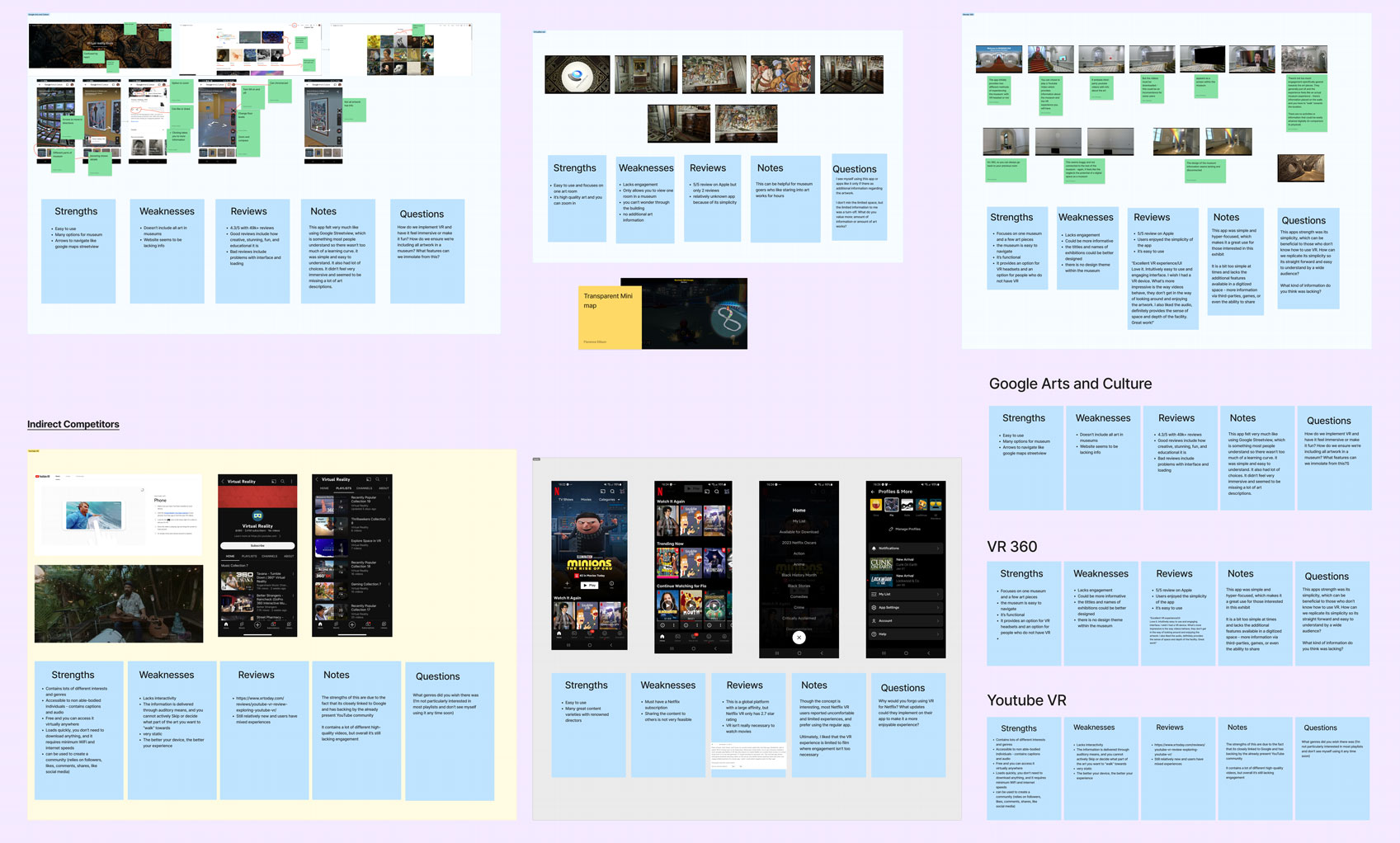
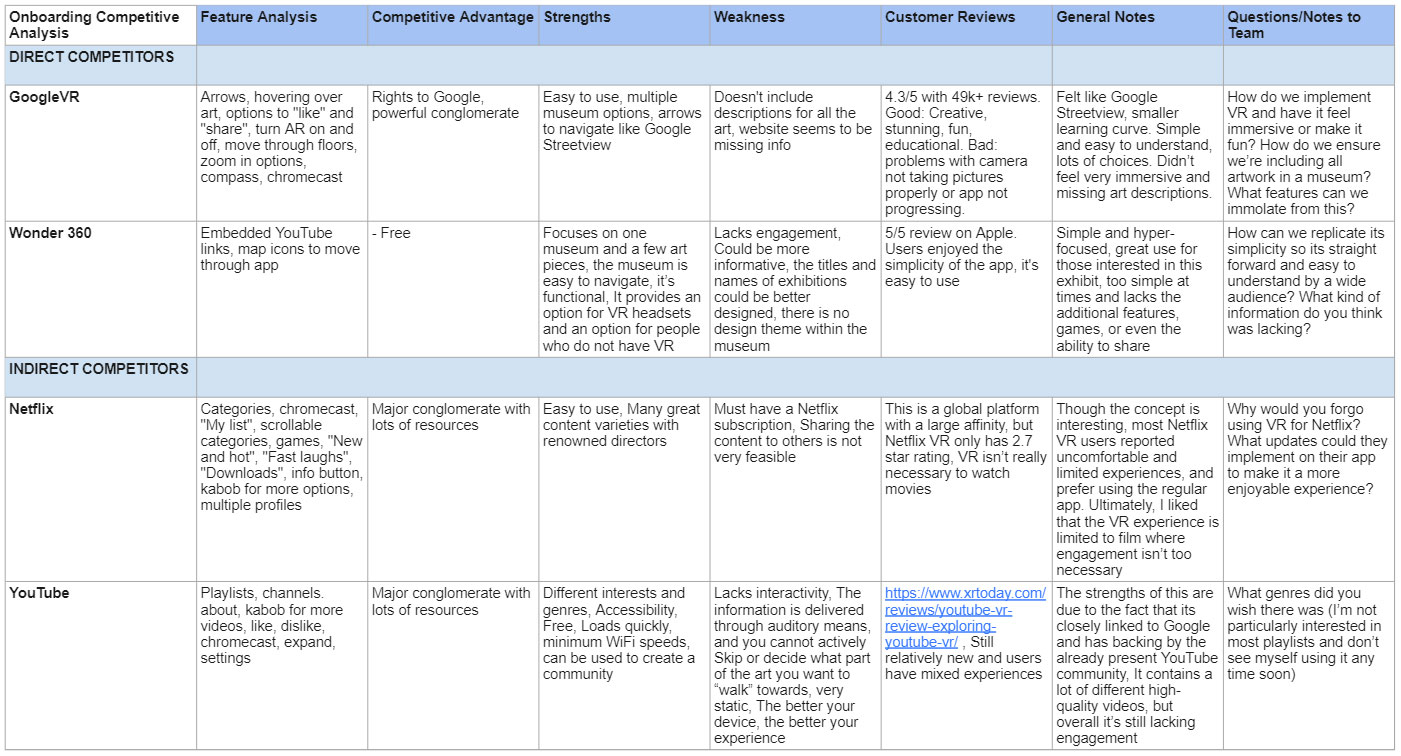
Problem Statement: Sofia Perez, a mother of two, requires an easy and inexpensive way to access interactive and educational museum experiences from around the world for her children.
Value Proposition: We are developing a way to provide virtual museum tours to help users gain access to museums without any geographical or financial limitations.
We include each piece of art interactively, this will allow the user to gain a more immersive and enjoyable experience than they would at a physical museum.
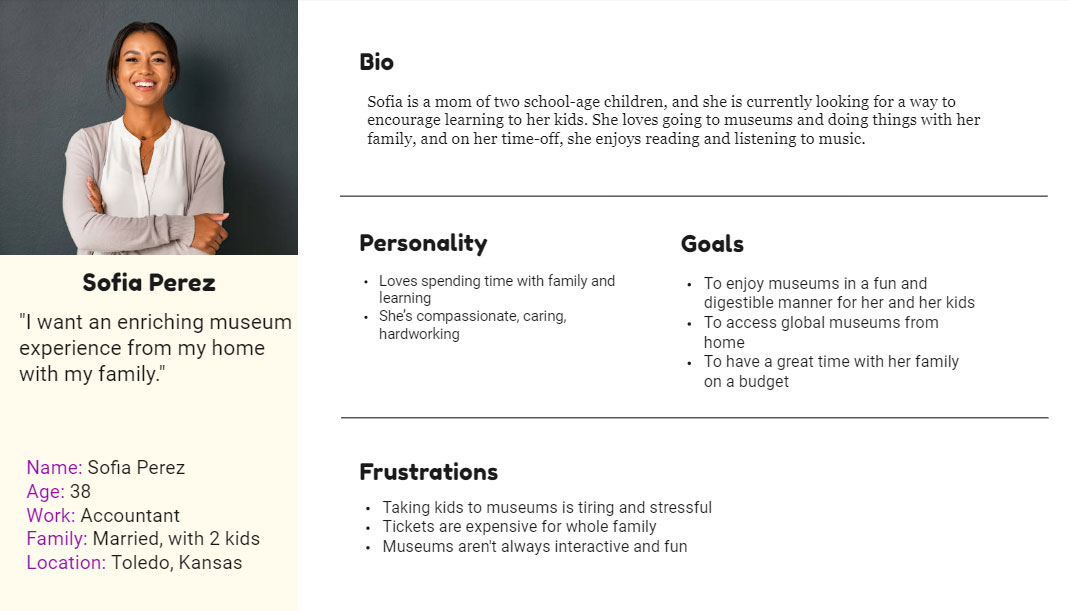
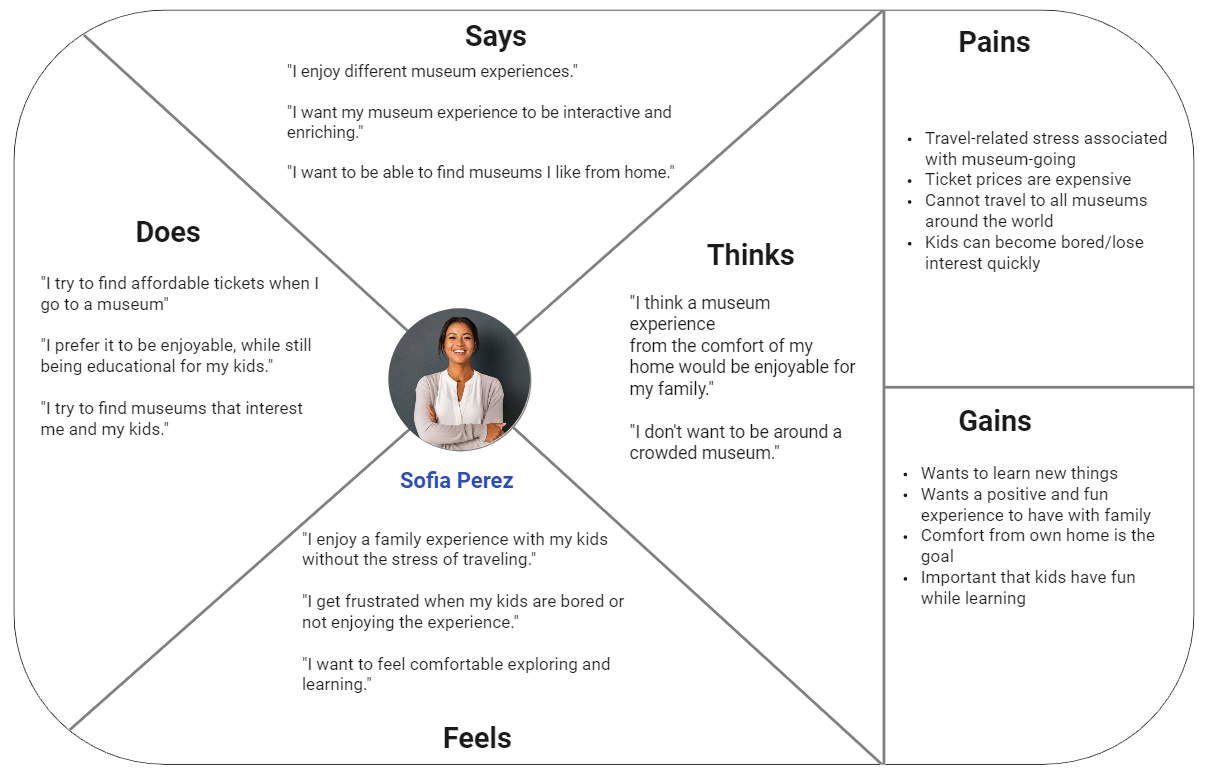
Our user, Sofia Perez! She wants to visit museums and take her family, but having little kids and being in a remote location can make that a frustrating trip instead of an enjoyable one.
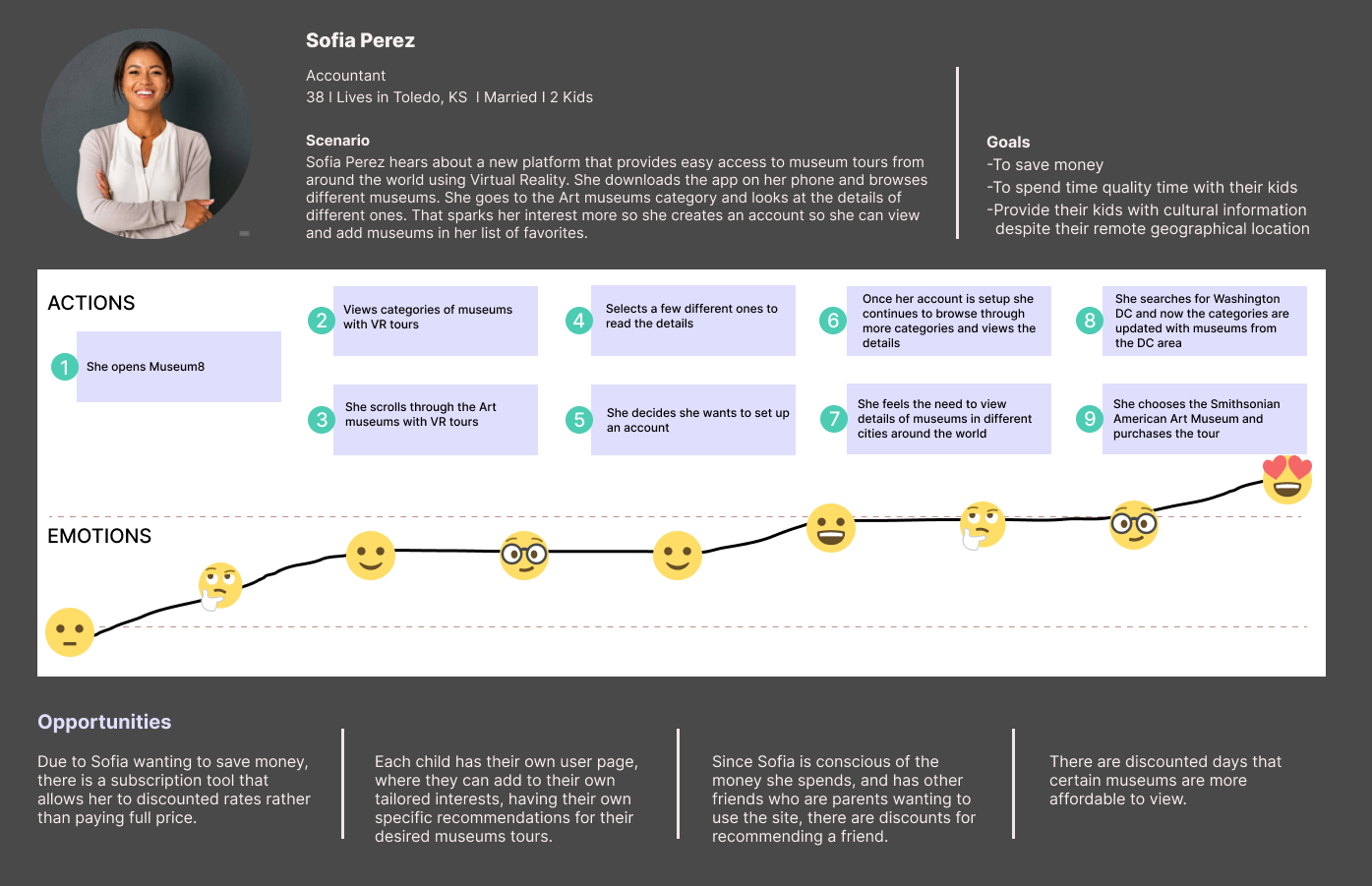
Sofia's main goal is wanting to find a way to bring the museum to her home with her family. When she downloads the app, she is very intrigued and interested once she logs in with everything the app has to offer.. She is excited to pick from any museum around the world. She feels extremely relieved and happy when she decides to choose the Smithsonian American Art Museum and purchases her experience.
Our opportunities focus on creating subscriptions, discounts days and each child having their own user page.
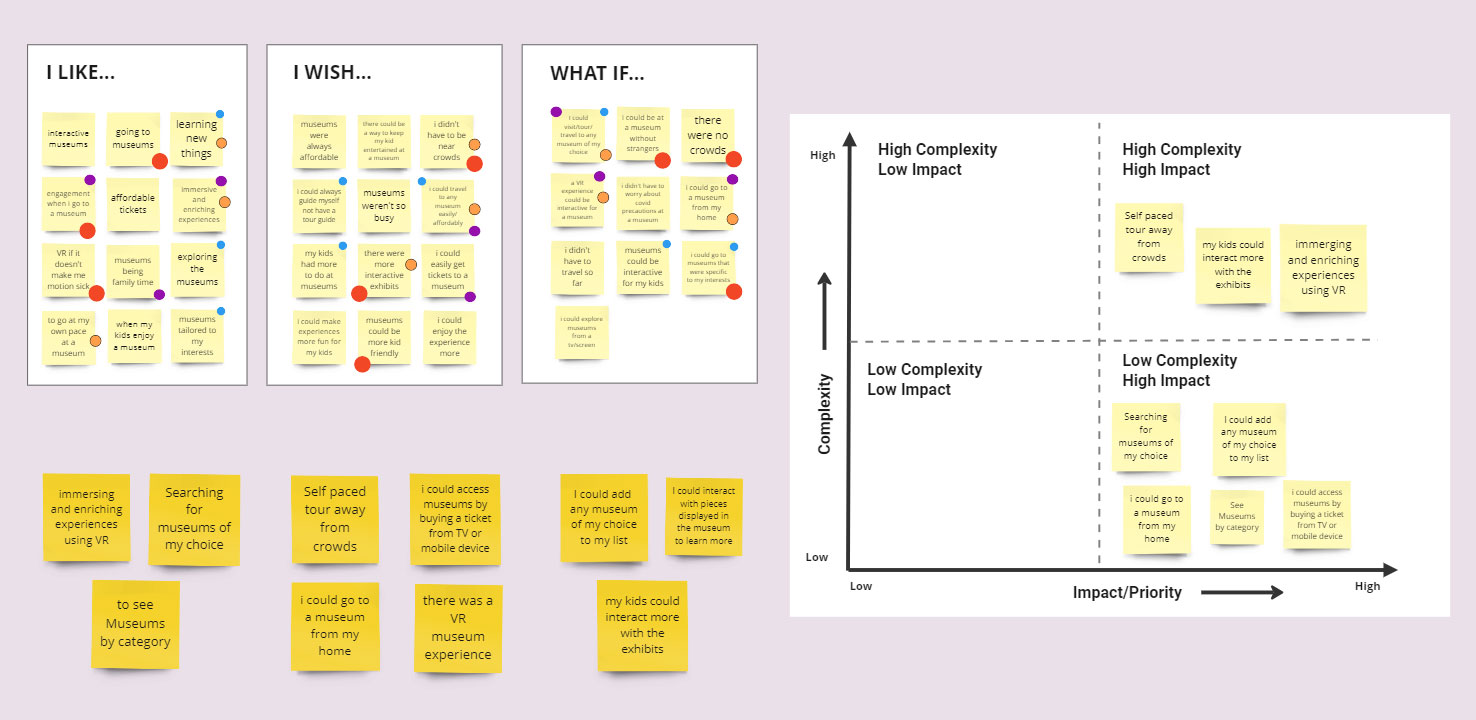
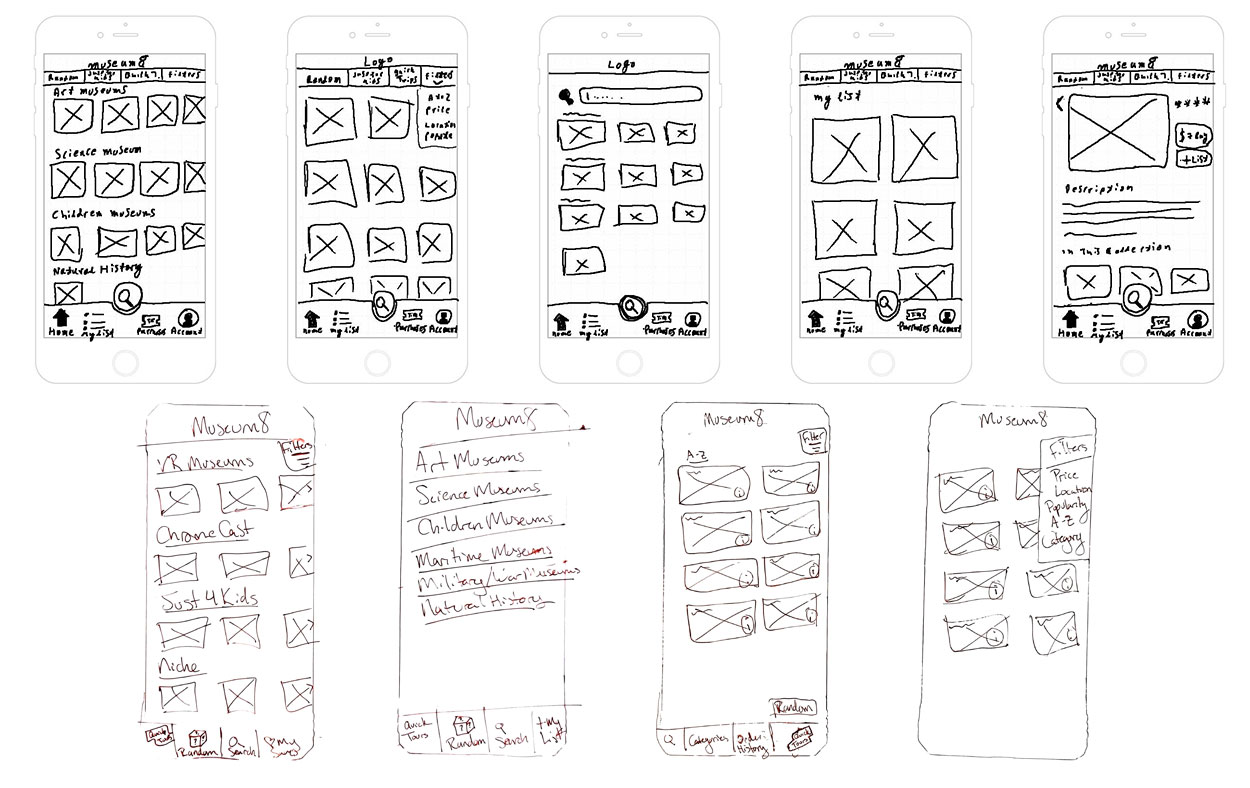
We used the Crazy 8's strategy for brainstorming our initial sketches. This activity really helped us. My sketches are at the top of the image on the right.
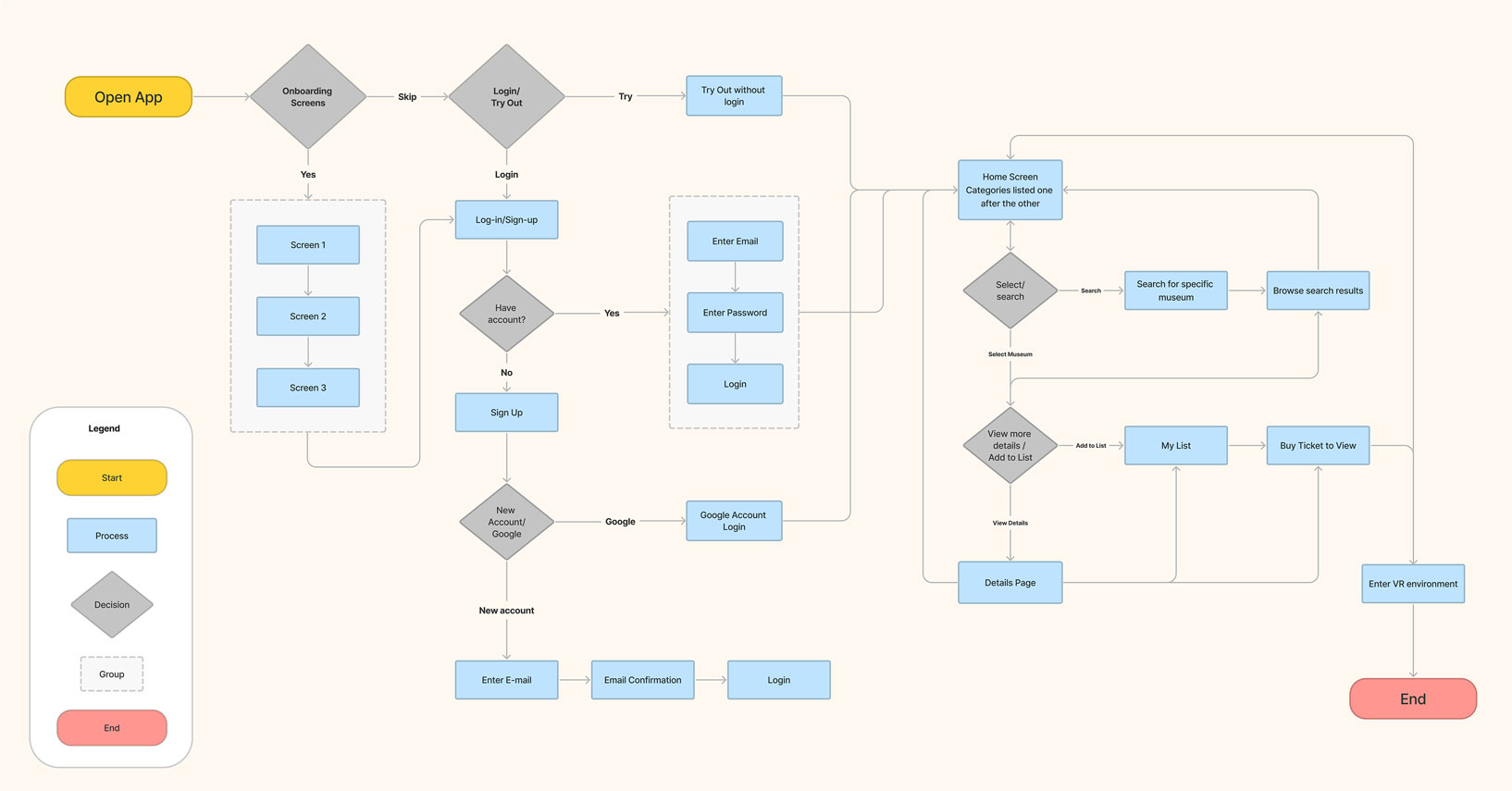
Our goal within our design was to make an accessible and easy to use platform to view museums using virtual reality. Some key features include: adding to list, searching by category, a search field, random selection, quick view as a preview of the VR experience.
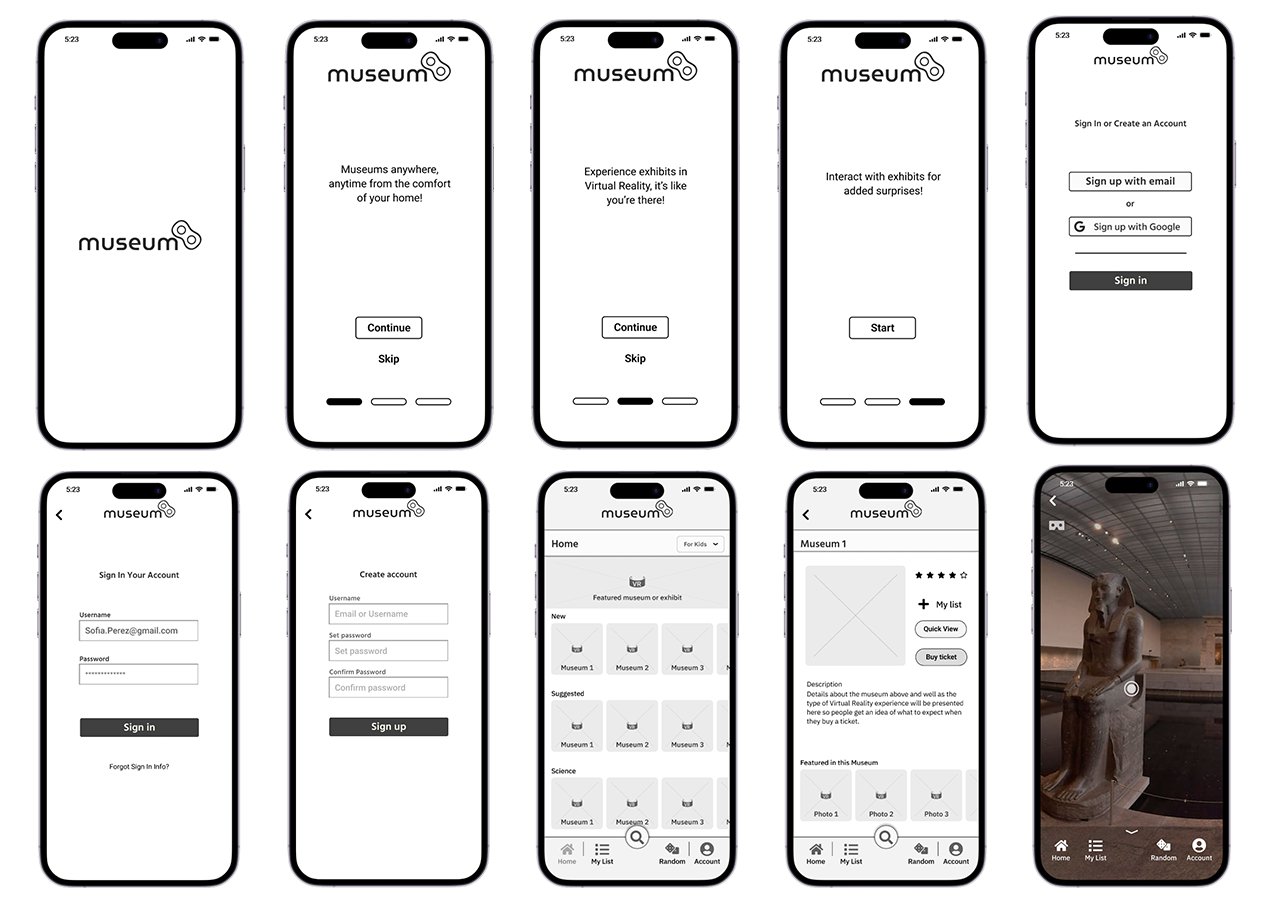
I created the first prototype using Figma. Some of the wireframes can be seen in the image to the left here
This allowed us to put something in front of users and test to validate our work and identify areas that need to be improved. Getting an idea of the overall sentiment of users when they use a product like this for the first time is always eye opening.
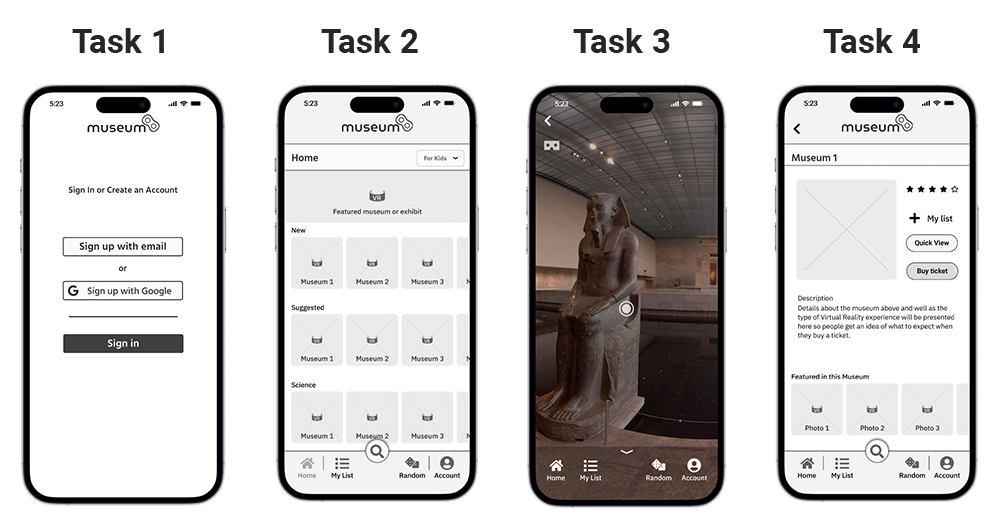
We performed Guerilla usability testing with 6 users. I performed 2 of those tests.
Test 1:Create an account.
User's showed hesitation when trying to create an account.
Task 2:Select a museum from a category.
This was fairly easy for most users.
Task 3:Preview a VR experience.
There was no back button in the first prototype, which confused users.
Task 4:Purchase a Museum VR.
The user was expecting additional steps after selecting the purchase button on the app
This project was a new challenge; taking our knowledge and applying it to a group setting. There were challenges that all teams face, planning our schedules together and making sure everyone knew what they had to work on. We all grew from these challenges to become better collaborators. We worked well together to produce a product that we are all proud of.